Marcus runs a custom furniture business. Twelve employees, a workshop, a small showroom, and a website that finally started getting enquiries. Business is good — maybe too good. He's losing track of which leads he followed up on, his accountant keeps asking where certain invoices went, and last week he promised a delivery date he couldn't actually hit because he had no idea what was in stock.
A friend told him he needs a CRM. His accountant said he needs an ERP. A software salesperson somehow convinced him he needed both, enterprise edition, $800 a month. He almost signed.
He didn't need $800 a month of software. He needed someone to explain what these two things actually are and which problem he should solve first. This post is that explanation.
By the end, you'll know the difference between a CRM and an ERP, which one fits where you are right now, and how to avoid over-buying software that will sit unused while the real problem gets worse.
What a CRM Actually Does (Front Office)
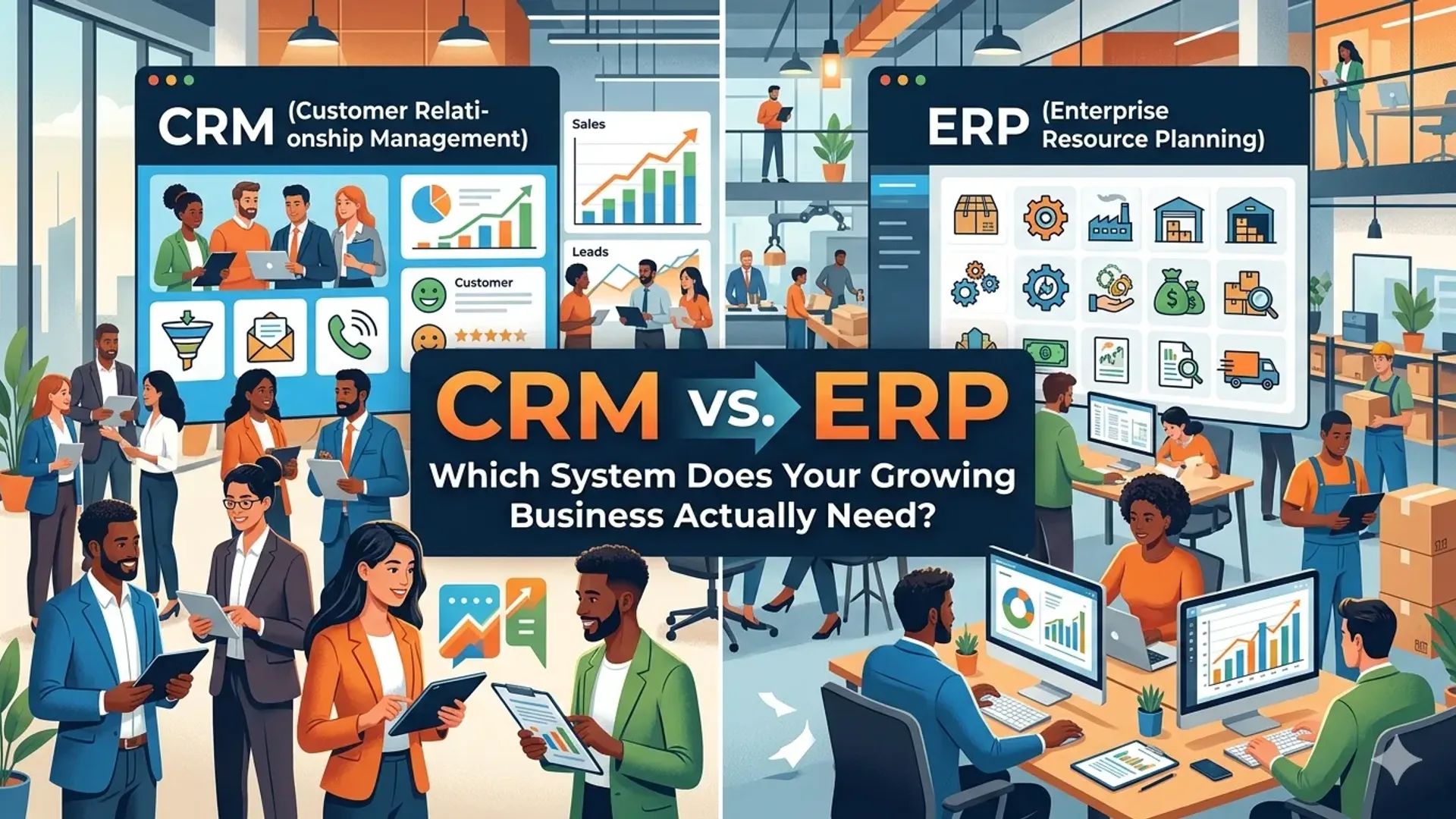
CRM stands for Customer Relationship Management. Strip out the jargon and a CRM is a database of every person who has ever shown interest in buying from you — and a system for tracking what happens next.
When someone fills out your enquiry form, a CRM captures their details. When your salesperson calls them, the CRM logs the call. When you send a proposal, the CRM records it. When the deal closes — or doesn't — the CRM knows that too.
The front office is everything that faces customers: marketing, sales, follow-up, support. A CRM lives in this space. Its job is to make sure nobody falls through the cracks.
- Lead tracking — where did they come from, what stage are they at, who owns the follow-up
- Contact history — every call, email, meeting, and note in one place
- Pipeline visibility — how many deals are open, what's their value, what's about to close
- Automated follow-ups — reminder emails, sequences, tasks triggered by time or action
- Reporting — where are leads coming from, what's your close rate, where do deals die
Popular CRMs: HubSpot (free tier is genuinely useful), Pipedrive, Zoho CRM, Salesforce (expensive, usually overkill at the start).
A good CRM costs anywhere from free to $100/month for a small team. You don't need the enterprise plan until you're running a proper sales team with complex territory rules.
What an ERP Actually Does (Back Office)
ERP stands for Enterprise Resource Planning. Less intuitive name, but the concept is straightforward: it's the system that runs your operations.
If a CRM manages your relationships with customers, an ERP manages the actual mechanics of the business — inventory, purchasing, manufacturing, warehousing, finance, HR, supply chain. Everything that happens once you've won the customer and now have to deliver.
- Inventory management — what you have in stock, what's on order, what's been shipped
- Financial accounting — accounts payable, receivable, general ledger, reporting
- Purchase orders and supplier management — what you've ordered, from whom, at what cost
- Production and fulfilment — job scheduling, work orders, delivery tracking
- HR and payroll — in some systems
Popular ERPs: Xero or QuickBooks (lightweight, accounting-first), MYOB, NetSuite, SAP Business One, Odoo (open-source, surprisingly capable). The range is enormous — from a $30/month accounting tool to a $50,000/year enterprise deployment.
The honest difference: a CRM answers "who are our customers and what are they doing?" An ERP answers "how does our business actually run?" One faces outward. The other faces inward.
The Growing-Business Moment When Each Pain Shows Up
Neither problem arrives on the same day. They tend to show up at different stages of growth, and recognising which one is hurting you right now matters.
When the CRM pain hits
It usually starts with a spreadsheet. You've got a tab called "Leads" with names, phone numbers, and a column called "Status" where someone typed "spoke to them, maybe interested?" six months ago. A competitor who followed up consistently just won that deal.
The signs you're bleeding from a CRM problem:
- Leads go cold because nobody followed up — not from laziness, but from not knowing whose job it was
- You have no idea how many open opportunities you have or what they're worth
- A client calls with a complaint and you have no record of the conversation they had last month
- You can't tell which marketing channel is actually driving your best customers
- Onboarding a new salesperson means handing them a spreadsheet and hoping they figure it out
This is the most common pain for service businesses, consultancies, agencies, and any company where relationships drive sales. You don't need 50 employees to have this problem — it shows up at five.
When the ERP pain hits
ERP pain tends to arrive once you're actually delivering at scale. You have orders coming in, but the back end is chaos. Your operations manager is living in spreadsheets. Your accounts don't match what actually shipped. You over-promised a delivery date because nobody checked stock in real time.
The signs you're bleeding from an ERP problem:
- You don't know your actual margin on a job until after it's done — and sometimes not even then
- Inventory discrepancies cause delays or double-orders regularly
- Month-end close takes your accountant a week of reconciling chaos
- You're managing multiple suppliers and have no single view of outstanding purchase orders
- You manufacture, assemble, or handle physical stock at meaningful volume
ERP pain is more common in product businesses, manufacturers, distributors, and wholesalers. Service businesses can run a long time without needing one — though they'll need accounting software at a minimum.
Which Should You Get First?
For most small and mid-sized businesses — especially service businesses — the answer is the CRM.
Here's the logic. Revenue is oxygen. If you're losing deals because your follow-up is disorganised, you're bleeding money every month that's visible and fixable. A CRM, set up properly, can pay for itself in one recovered deal. It's also faster to implement, cheaper to start, and requires less business-wide process change.
An ERP, by contrast, touches almost every part of your operations. Implementations take months. They require your team to change how they work, not just what tool they use. Getting it wrong is expensive and disruptive. Most small businesses are not ready for this — not because they're too small, but because they haven't nailed the fundamentals of sales and delivery enough to know what processes they're actually encoding into a system.
There are exceptions. If you're a manufacturer or distributor where inventory chaos is genuinely stopping you from delivering — that's an ERP problem first. Fix what's costing you sales or costing you money right now. Don't buy what sounds impressive.
Start with the pain that's actually bleeding you. Not the one that sounds most "enterprise."
Signs You Actually Need an ERP (Not Just Better Accounting)
Some businesses genuinely need ERP-level capability and are underserved by a CRM and a basic accounting tool. You're probably in that category if:
- You hold and manage significant physical inventory across multiple locations, with real-time stock visibility being critical to your operations
- You manufacture or assemble products and need to track raw materials, work-in-progress, and finished goods separately
- You manage complex supplier relationships with purchase orders, lead times, and supplier pricing that directly affects your margins
- Your financial reporting is complex — multiple entities, cost centres, project-level P&L, or regulatory requirements that basic accounting software can't handle
- Your team is large enough that different departments (warehouse, accounts, purchasing) need to work from one shared data source to avoid conflicting information
If you're a 10-person services firm doing $2M a year, you almost certainly don't need an ERP. You need a CRM, solid accounting software (Xero, QuickBooks), and probably a project management tool. Those three, connected, will take you well past $10M without the overhead of a full ERP implementation.
How CRM and ERP Can Work Together
The good news: these systems aren't competitors. They're complementary, and in a mature business they typically connect.
The typical integration looks like this: a deal closes in the CRM, triggering the creation of an order in the ERP. The ERP handles fulfilment, inventory, invoicing. When the job is complete and the invoice is paid, that data can flow back into the CRM to update the customer record — lifetime value, purchase history, upsell triggers.
Modern tools make this easier. HubSpot connects natively with QuickBooks. Salesforce has deep NetSuite integrations. Odoo is notable because it's one of the few platforms that genuinely covers both CRM and ERP functions in a single system — useful if you want to avoid the integration headache entirely, though it has its own complexity.
If you're exploring how AI and automation fit into this picture, there's a growing category of AI-powered tools that sit on top of your CRM and ERP data, surfacing insights and triggering actions that no human would catch manually. That's a layer worth thinking about once your underlying systems are solid. You can also read more about how AI agents can work within your sales and CRM setup.
The Over-Buying Problem
This deserves its own section because it wastes a lot of money and creates a lot of frustration.
Enterprise software vendors are excellent at selling you a vision of what your business could look like. The demos are polished. The features are extensive. The case studies involve companies 10 times your size who implemented over 18 months with a dedicated IT team.
What they don't show you: the 70% of features you'll never touch. The months your team spends learning a system that's more complex than the problem it was solving. The implementation consultant fees that sometimes rival the software cost. The churn that happens when staff quietly go back to the spreadsheet because the system is too cumbersome.
A $50/month CRM your team actually uses beats a $500/month enterprise platform they avoid. Start simple. Grow into complexity when complexity is genuinely justified by your operations — not by what a salesperson told you was "best practice."
If you're unsure which tools actually fit your stage and your type of business, talking to someone who has set these systems up for businesses like yours is worth more than reading another feature comparison article. Take a look at our services page to see how we approach systems and automation for growing businesses.
Actionable Takeaways
- Identify your actual pain first. Write down the top three operational problems costing you sales or money right now. That list should drive your software decision, not the other way around.
- If leads are falling through the cracks, start with a CRM. HubSpot's free tier is a reasonable first step for most small businesses — get your pipeline set up before you pay for anything.
- If inventory, finance, or operations chaos is stopping you from delivering, look at whether your accounting software can be extended first. Xero with the right add-ons handles a lot before you need a full ERP.
- Don't buy an ERP before your processes are stable. Implementing an ERP into a chaotic operation doesn't fix the chaos — it codifies it and makes it harder to change.
- Ask for a short implementation timeline. If a vendor says it'll take six months to go live, question whether the tool is the right fit for your current size.
- Plan the integration from day one. If you buy a CRM today knowing you'll need an ERP in 18 months, choose tools that connect to each other. Replacing everything later is expensive.
- Review your stack annually. What you needed at $500K revenue is not what you need at $3M. Revisit your tooling as you grow.
Frequently Asked Questions
What is the main difference between a CRM and an ERP?
A CRM manages your customer-facing activities — leads, sales, follow-up, and relationships. An ERP manages internal business operations — inventory, finance, purchasing, and fulfilment. They serve different parts of the business, though in a mature company they often share data.
Do I need a CRM or ERP for my small business?
Most small service businesses need a CRM first. If you're struggling with missed follow-ups, disorganised pipelines, or no visibility into your sales activity, a CRM is the higher-priority fix. ERP becomes relevant when operational complexity — inventory, manufacturing, multi-entity finance — is the thing holding you back.
Can a small business use an ERP?
Yes, but choose carefully. Lightweight options like Odoo or the operational modules in platforms like Zoho One are designed for smaller businesses and don't require a six-month implementation. Be honest about whether you actually need ERP-level capability or whether solid accounting software plus a CRM covers your real needs.
Is Salesforce a CRM or an ERP?
Salesforce is primarily a CRM. It handles sales, marketing, and customer service. It can connect to ERP systems but doesn't replace back-office functions like inventory or financial accounting. Some businesses use Salesforce alongside a separate ERP like NetSuite, which is also owned by Oracle.
What happens when your CRM and ERP don't talk to each other?
You get data silos. Sales closes a deal but operations doesn't know about it. Finance invoices a customer for the wrong amount because nobody updated the stock price. Your team ends up manually re-entering data between systems — which is slow, error-prone, and demoralising. Integration is worth investing in early.
How much does it cost to implement a CRM vs an ERP?
A basic CRM implementation for a small team can cost as little as a few hours of setup time if you use a free-tier tool like HubSpot. A full ERP implementation ranges from $5,000 for a small-business-focused system to $100,000+ for an enterprise deployment. Get clear on total cost of ownership — software, implementation, training, and ongoing support — before committing.
Start With the Right System, Not the Most Impressive One
Marcus — the furniture business owner from the start of this post — ended up starting with a CRM. Free tier, set up in a day, pipeline built in a week. Three months later his close rate improved simply because follow-ups were actually happening. He's now looking at a lightweight inventory tool to manage his workshop stock. He'll consider a proper ERP when his operation justifies it.
The difference between crm vs erp isn't really about which is better. It's about which problem you have right now, and which tool solves it without introducing more complexity than your business can absorb.
If you're trying to figure out which systems make sense for where your business actually is — not where a software salesperson wants it to be — we're happy to have that conversation. We help growing businesses map out the right tools and integrations without the enterprise overhead. No obligation, no pitch deck. Just a practical conversation about what's costing you money and what might fix it.
Tap the button and Google will show you our new articles more often — in Search, Top Stories and AI Overviews.
Have a project in mind?
Let’s turn it into an intelligent product. Book a free 30-minute discovery call.
Start your project →