It's 7pm on a Wednesday. Sarah runs a 12-person marketing agency. She's just finished writing the same invoice reminder she wrote last Tuesday, and the Tuesday before that. Tomorrow she'll manually copy leads from her contact form into her CRM. Friday she'll spend an hour pulling numbers from three different tools to build a performance report she sends every single week.
None of this is her job. It's all noise that sits on top of her job — and it's eating roughly 90 minutes out of every working day. That's close to 400 hours a year. At her billing rate, that's money she's handing back to the universe for free.
The honest truth about business process automation is that most business owners know they should be doing more of it. The problem isn't awareness — it's knowing where to start. Every tool vendor promises it's easy. It rarely is, the first time. But once a process is automated, it tends to stay automated. You build it once, and it saves you time every single day after that. The compounding effect is real.
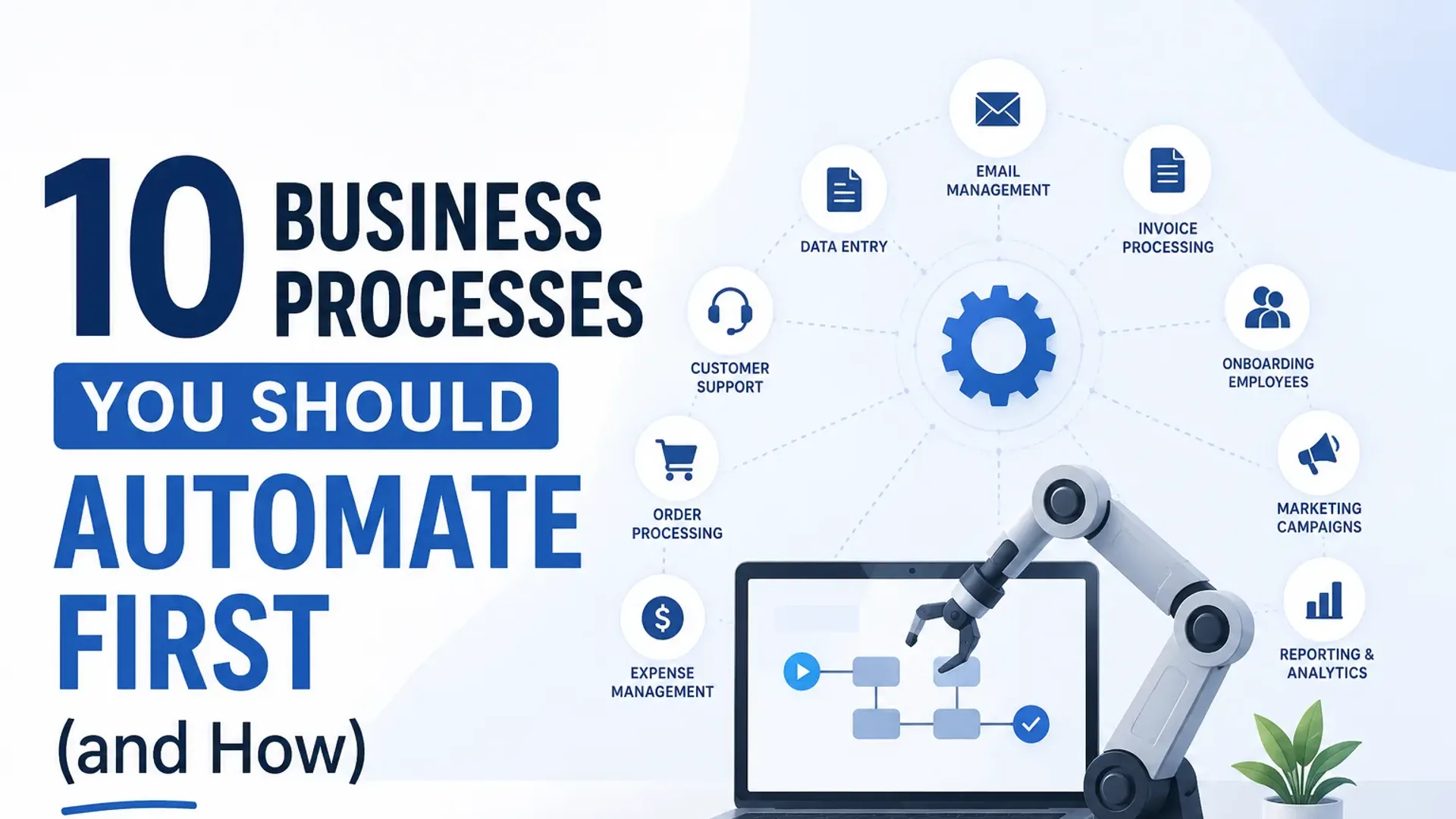
This post gives you a practical framework for deciding what to automate first, then walks through 10 specific processes worth tackling — with a plain-English explanation of how each one typically works in practice.
What Is Business Process Automation?
Business process automation (BPA) is the use of software to carry out repeatable, rules-based tasks that would otherwise be done by hand — sending an email, moving a record between two systems, triggering a reminder, generating a report. Instead of someone remembering to do the task and doing it manually each time, you define the rule once (“when X happens, do Y”) and the software performs it consistently, instantly, and without fatigue, every time the trigger occurs.
It is worth separating two terms that often get used interchangeably. Traditional automation follows fixed rules and is ideal for predictable work. AI automation adds a layer of judgment — reading the content of a message, qualifying a lead in conversation, or drafting a tailored reply — for the parts of a process where rigid rules fall short. For most businesses the right starting point is straightforward rules-based automation, with AI layered in where the decisions get fuzzier.
The reason it matters is not the technology — it is the economics. Manual work carries a cost that recurs every single time the task is performed. Automated work carries a cost you pay once, to set it up; everything after that is close to free. That asymmetry, applied across a dozen small daily tasks, is what quietly separates a business that scales smoothly from one that drowns in admin as it grows.
A Simple Framework for Prioritising What to Automate
Not everything deserves to be automated. Some tasks are genuinely complex judgment calls that need a human. Others are so rare they're not worth the setup time. Before you pick a tool or draw a workflow diagram, run each candidate task through four questions:
- How much time does it take? A task that eats 20 minutes a day is worth more attention than one that takes 5 minutes a week.
- How often does it happen? Daily or multiple times a day wins over monthly.
- How error-prone is it when done manually? If someone on your team regularly makes mistakes on a task — wrong data, missed follow-ups, forgotten steps — automation doesn't just save time, it actively improves quality.
- How rules-based is it? "If X happens, always do Y" is automatable. "If X happens, use your judgment based on 12 factors" usually isn't. Not yet, anyway.
Score each task on those four dimensions. The ones that score high across the board are your first targets. The ones that require nuanced human judgment get left alone — for now.
The goal isn't to automate everything. It's to automate the tasks that are eating your team's time and producing zero strategic value.
The 10 Processes Worth Automating First
1. Lead Follow-Up and Routing
Someone fills out your contact form at 11pm on a Sunday. What happens? If the answer is "someone sees it Monday morning and maybe emails back by afternoon," you've already lost ground to whoever responds in 20 minutes.
Automated lead follow-up means the moment a form is submitted, the lead gets an immediate personalised acknowledgement — and your team gets a notification with the lead details routed to the right person based on service type, location, or deal size. Most CRMs and form tools can do this out of the box. The result is faster response times without anyone manually checking an inbox.
If you want to go further, an AI chatbot can qualify leads 24/7 before a human ever enters the conversation — asking the right questions, gathering context, and booking a discovery call automatically.
2. Appointment Scheduling
The back-and-forth of scheduling calls is genuinely one of the most pointless time drains in any service business. "Are you free Thursday?" "No, how about Friday?" "Friday works, morning or afternoon?" This can take 6 emails and two days when it should take 30 seconds.
Scheduling tools like Calendly, Cal.com, or similar connect to your calendar and let prospects book a slot themselves. Reminders go out automatically. Rescheduling is self-serve. The meeting just appears in your calendar — confirmed, with all the right details — without a single email exchange.
3. Invoicing and Payment Reminders
Chasing payment is awkward. Most business owners put it off, which means cash flow suffers. Automating invoicing and payment reminders removes the awkwardness entirely because it's the system chasing, not you.
Most accounting tools — Xero, QuickBooks, FreshBooks — will automatically send an invoice on a schedule (say, on project completion or the 1st of each month), then follow up at 7 days, 14 days, and 30 days overdue with progressively firmer reminders. You set the rules once. After that, you're out of the loop unless a client actually needs your attention.
4. Client Onboarding
When a new client signs up, the first few days set the tone for the whole relationship. And yet, onboarding is usually cobbled together manually — someone sends a welcome email, someone else chases the intake form, a third person eventually sends login credentials.
An automated onboarding sequence can handle all of this: a welcome email the moment they sign, a link to complete their intake form, a follow-up if the form isn't submitted, access credentials once the form is done, and a calendar invite for the kick-off call. The client feels like they're working with a professional operation. Your team saved two hours of admin per new client.
5. Customer Support FAQs
If your support inbox contains the same 15 questions on rotation — "What's your turnaround time?", "How do I log in?", "Can I change my plan?" — you have a strong automation candidate. An AI chatbot or a simple FAQ automation can handle these without any human involvement.
This isn't about removing the human touch. It's about making sure humans are dealing with questions that actually need them, not spending 40 minutes a day typing out answers to questions that were answered on your website three years ago. The complex, sensitive, or nuanced queries still land with your team. The repetitive ones don't.
Read more about how AI agents handle customer interactions around the clock without burning out your team.
6. Review Requests
Most happy clients don't leave reviews. Not because they're unhappy — they just forget, or don't know where to go, or the moment passes. The businesses that consistently accumulate Google reviews are usually the ones that ask every single time, automatically.
A review request sequence is simple: a few days after a project closes or a service is delivered, the client gets a short email thanking them and including a direct link to leave a Google (or Trustpilot, or industry-specific) review. One email, sent automatically, at exactly the right moment. Over a year, this compounds into a meaningful competitive advantage in local search.
7. Social Media Posting
Social media is a classic example of a task that's repetitive, rules-based, and low-value when done manually at posting time. Creating content is creative work that deserves human attention. Clicking "publish" at 9am on a Tuesday does not.
Scheduling tools — Buffer, Later, Hootsuite, or the native schedulers on most platforms — let you batch-create content once or twice a week and then schedule it across platforms for the times your audience is most active. The content still gets created by you; the distribution just happens on its own.
If you want to understand what actually moves the needle on social, the strategy piece still matters — automation handles execution, not thinking.
8. Reporting and Dashboards
At some point every week, someone on your team exports data from somewhere, pastes it into a spreadsheet, formats it, and emails it to stakeholders who look at it for 90 seconds. This is an extraordinarily common waste of time.
Automated reporting connects your tools — Google Analytics, your CRM, your ad platforms, whatever you're using — to a live dashboard or a scheduled email report. Looker Studio (free), Databox, and similar tools can pull from multiple sources and generate a report that goes out automatically every Monday morning. Nobody has to touch it.
9. Data Entry and Syncing Between Tools
If information lives in more than one system and someone manually keeps them in sync, you have an automation waiting to happen. New lead in your CRM should automatically create a card in your project management tool. A deal marked "won" should kick off an invoice. A form submission should populate a spreadsheet and send a Slack notification.
Tools like Zapier, Make (formerly Integromat), or n8n sit between your existing tools and connect them. You create a trigger ("when this happens in App A") and an action ("do this in App B"). Most business owners who set up their first Zap immediately start thinking of ten more.
10. Internal Notifications and Handoffs
The internal equivalent of the lead follow-up problem: a task gets completed, but the next person in the chain doesn't know about it until they happen to check. Projects stall at handoff points. Deadlines slip not because of the work itself but because of the communication around it.
Automated internal notifications can be as simple as "when a client form is submitted, post to Slack #new-clients" or "when a task is marked complete in [project tool], assign the next task to [team member] and send them a notification." It keeps work moving without someone having to manually chase a status update every few hours.
What Can You Automate? A Quick Map by Department
The ten processes above are the highest-ROI starting points, but almost every function in a business has repetitive, rules-based work hiding inside it. If you are trying to spot candidates in your own operation, this map is a useful prompt:
- Sales: lead capture and routing, follow-up sequences, quote and proposal generation, pipeline-stage updates, meeting scheduling.
- Marketing: social media scheduling, email nurture campaigns, lead scoring, ad-spend reporting, list segmentation.
- Finance: invoicing, payment reminders, expense categorisation, recurring billing, month-end report generation.
- Operations: data syncing between tools, task handoffs, status notifications, document generation, approval routing.
- Customer support: ticket routing, FAQ responses, post-resolution surveys, escalation alerts, knowledge-base suggestions.
- HR and admin: onboarding sequences, leave requests, document collection, reminder scheduling, calendar management.
You will not — and should not — automate all of these at once. The point of the map is simply to widen the lens: once you start looking for “rules-based and repetitive,” you find it almost everywhere.
How to Automate a Business Process, Step by Step
Once you have picked a process, the implementation follows the same shape almost every time:
- Map the process exactly as it happens today. Write down every step, trigger, and decision point. You cannot automate a process you cannot describe — and writing it out usually reveals steps that can be removed entirely.
- Identify the trigger and the actions. What event starts the process (“a form is submitted”)? What should happen as a result (“notify the team, create a CRM record, send an acknowledgement”)?
- Check what your existing tools already do. Before buying anything, look at the automation features inside the tools you already pay for. Most CRMs, schedulers, and accounting tools have more built in than people use.
- Connect the gaps with a middleware layer. Where two tools need to talk and do not natively, a platform like Zapier, Make, or n8n bridges them with a visual, no-code workflow.
- Test with real data, then switch it on. Run it against a few real cases, confirm the output is correct, and only then let it run unattended.
- Review after 30 days. Set a reminder to confirm it is still doing what you intended and has not drifted as your process changed.
The main categories of tools you will draw on: built-in automations inside your existing CRM, scheduler, or accounting software; no-code connectors (Zapier, Make, n8n) to link tools that do not talk natively; dedicated point solutions (Calendly for scheduling, Looker Studio for reporting); and custom or AI-driven builds for anything bespoke. Start as far up that list as you can — the cheapest, fastest automation is usually the one your current tools already support.
The Compounding Effect: Build Once, Save Forever
Here's the thing nobody talks about enough: an automation you build this month will still be saving you time three years from now. A well-set-up lead routing workflow doesn't wear out. A payment reminder sequence doesn't get tired or forget. A scheduling tool keeps working on Christmas.
If you spend four hours setting up an automated onboarding sequence and it saves your team 90 minutes per new client, and you onboard 50 clients a year, you've saved 75 hours in year one. In year two, that same setup saves another 75 hours — for free. Year three, again. The ROI compounds in a way that almost nothing else in your business does.
Manual work costs you time every single time. Automated work costs you time once.
That asymmetry is why business owners who get serious about workflow automation tend to become evangelical about it. The first few take effort. After that, the mindset shift sticks — every new repetitive task raises the question "can this be automated?"
Actionable Takeaways
- List every recurring task you or your team do more than once a week. Be honest about how long each takes.
- Score each task: time spent + frequency + error-proneness + how rules-based it is. Automate the highest scorers first.
- Start with one automation, get it working properly, then add the next. Don't try to overhaul everything at once.
- Lead follow-up and appointment scheduling are almost always the highest-ROI first automations for service businesses.
- Connect your existing tools with a middleware layer (Zapier, Make, or n8n) before buying anything new — you probably have more capability in your current stack than you're using.
- Set a calendar reminder for 30 days after each automation goes live to review whether it's actually working as intended.
- Document what you build. Not for anyone else — for you in six months when you've forgotten how it works.
Frequently Asked Questions
What does business process automation actually mean for a small business?
It means using software to handle tasks that follow predictable rules — sending emails, moving data between systems, triggering notifications, scheduling reminders — without a person doing it manually each time. For small businesses it's less about enterprise software and more about connecting the tools you already use so they talk to each other intelligently. Most business owners are surprised by how much is possible without writing a single line of code.
Do I need to be technical to automate my business processes?
For most of the automations in this post, no. Tools like Zapier and Make are built for non-technical users and work on a visual drag-and-drop interface. Scheduling tools, CRM automations, and invoice reminders typically have these features built in with a few clicks. Where things get more complex — custom AI workflows, multi-step integrations, or anything bespoke — you'll likely want help from someone who's done it before.
How much does workflow automation cost?
It varies enormously. Some tools include automation features in their base plans for free. Dedicated automation platforms like Zapier start free for simple workflows and scale up based on volume and complexity. A basic lead follow-up and scheduling setup can often be done for under $50 a month using tools you're probably already paying for. Custom builds cost more upfront but can save proportionally more, especially if they replace significant manual work.
What should I automate first in a service-based business?
Lead follow-up and appointment scheduling, almost without exception. The speed-to-response gap on inbound leads is one of the clearest revenue leaks in service businesses — studies consistently show that responding within 5 minutes dramatically increases conversion rates compared to a few hours. Automating the initial response and the booking process is usually the fastest way to see a direct impact on revenue, not just time saved.
Can automation replace my team?
Rarely, and that's not really the goal. Automation handles the predictable, rules-based, repetitive work — the stuff that doesn't require judgment, relationships, or creativity. It frees your team to focus on the work that actually requires them: thinking, problem-solving, client relationships, strategy. Most businesses that implement automation well don't shrink their team; they stop wasting their team's capacity on things that shouldn't require a human at all.
What's the difference between automation and AI automation?
Traditional automation follows rigid rules: "if X, then Y, always." AI automation can handle more variation — reading the content of an email to decide how to route it, qualifying a lead through a conversation, or generating a personalised response rather than a template. The two often work together: a standard automation triggers the workflow, and an AI component handles the parts that need some intelligence. For most businesses, start with traditional automation and layer in AI where the rules break down.
What are some examples of business processes to automate?
The most common starting points are lead follow-up, appointment scheduling, invoicing and payment reminders, client onboarding, support FAQs, review requests, social media posting, reporting, data syncing between tools, and internal handoff notifications — the ten processes covered above. Beyond those, look at any task in sales, marketing, finance, operations, support, or HR that is repetitive and follows predictable rules.
How do I start automating my business if I have never done it before?
Pick the single task that annoys you most and happens most often — usually lead follow-up or scheduling. Map out exactly how it works today, check whether the tools you already use can automate it, and if not, connect them with a no-code platform like Zapier or Make. Get that one working properly before adding a second. The first automation takes the most effort; each one after that gets easier.
Can my team automate processes without a developer?
For most everyday automations, yes. No-code tools are designed for non-technical users and cover the large majority of what small and mid-sized businesses need. You will want technical help when a workflow spans many systems, requires custom logic, or uses AI to make decisions rather than follow fixed rules — but that is the exception, not the starting point.
Start With One, Build From There
The business owners who get the most out of their digital systems are rarely the ones who had the most sophisticated setup from day one. They're the ones who picked one process, automated it properly, saw the time come back, and kept going.
Pick the one task from this list that annoys you most right now. That's your starting point. Get it automated this week, even imperfectly. The second automation will be easier. The tenth will take you an afternoon.
If you'd rather have someone map out a full automation roadmap for your specific business — what to build, in what order, with which tools — that's exactly what we do. Our AI and automation team starts with a practical conversation, not a sales pitch. Drop us a message at alternateco.com/contact and we'll set up a free call.
Tap the button and Google will show you our new articles more often — in Search, Top Stories and AI Overviews.
Have a project in mind?
Let’s turn it into an intelligent product. Book a free 30-minute discovery call.
Start your project →